A NEW Way to Manage DNS Resources Records in the UltraDNS Portal
Completed
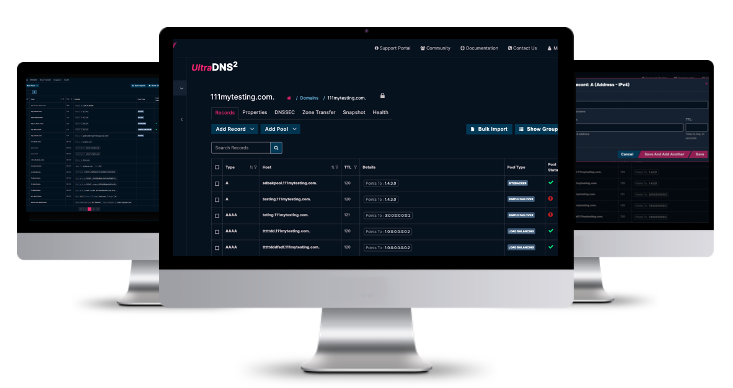
We are excited to introduce the next enhancement in the UltraDNS portal – the new Table View for managing your DNS resource records is available today!
This new feature offers a more efficient and user-friendly way to manage your domain name resource records. With enhanced search and filter capabilities and a more intuitive layout format, the Table View is designed to streamline your DNS management process and improve your overall experience.
Key Features:
- Enhanced Search and Filter Capabilities: Our powerful search functionality quickly locates specific host names, IP addresses, and record values.
- Streamlined View: Enjoy a clean, compact display that shows only configured records and pools, complete with easy access to editing and permissions options.
- Efficient Record and Pool Creation: Seamlessly create individual records or pool types using the new drop-down menu.
Please note that the traditional Grouped View for managing DNS resource records is still available. You can switch between the Grouped View and the new Table View at any time based on your preference.
How to Access:
To begin using the new Table View, log into the UltraDNS portal and navigate to the Domains section, and then select a domain from the list. Next to the various Record Management options, you can switch your view by clicking the Table View button.