Atomic DNS to Web Forward Modifications
Completed
Overview
In UltraDNS, a web forward represents an A (or CNAME) record that points to a web server with the purpose of performing HTTP redirection. This is marked by the creation of an uneditable, system-generated entry in the zone.

I'll refer to these as CRS records (in the lexicon of UltraDNS acronyms, this stands for "Content Redirection Service"). These records come with a 5-minute TTL and are automatically deleted whenever the web forward is removed. Note that you can’t modify the record data of an existing CRS record—it’s simply grayed out. Similarly, you can't create a web forward for a hostname that already has an existing resource record.
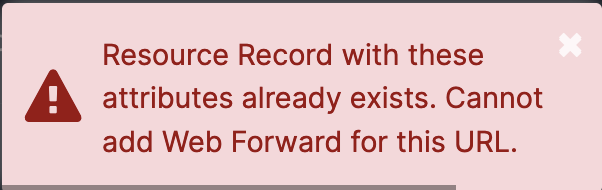
This error occurs because the system can’t create the necessary CRS record. In other words, to create one, the other must be deleted. You can handle this in the UI by navigating to the web forwards interface, deleting the record, returning to the zone management interface, and then creating the new record. However, UltraDNS propagates changes quickly, so this sequence could create a small window wherein an NXDOMAIN cache might occur. This may be a concern for high-traffic domains or those involved in critical infrastructure, especially in scenarios where hostnames need redirecting (e.g., moving to a new domain).
Batch API
The /batch API provides a way to group DNS changes together. Key advantages of this approach include:
- Changes occur consecutively and almost simultaneously, creating an effect similar to a PUT request. For our use case, this allows the web forward or resource record to be replaced by its new configuration.
- The batch request fails if any single action within it fails, so partial modifications (such as a successful delete but a failed add) won’t occur.
Example batch request:
[
  {
    "method": "DELETE",
    "uri": "/v3/zones/0222-gnce-blueberry.com/rrsets/A/test-6977"
  },
  {
    "method": "POST",
    "uri": "/v3/zones/0222-gnce-blueberry.com/webforwards",
    "body": {
      "requestTo": "test-6977.0222-gnce-blueberry.com",
      "defaultRedirectTo": "https://www.example.com",
      "defaultForwardType": "HTTP_302_REDIRECT"
    }
  }
]
This illustrates the deletion of an existing A record (test-6977.0222-gnce-blueberry.com) followed by the creation of a web forward redirecting test-6977.0222-gnce-blueberry.com to https://www.example.com.
Scripting a Solution
See: https://github.com/vercara/atomic_wf_mod
This code example allows us to stage desired changes in a YAML file and submit them through a series of batch requests. Each host is treated as a separate batch request. Returning to our earlier example:

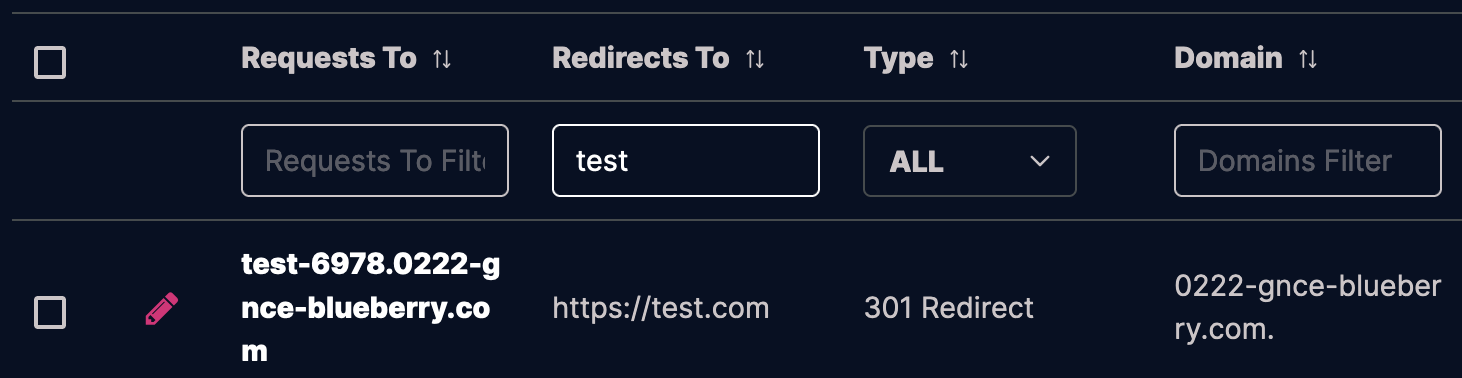
Here, we have an A record for test-6977.0222-gnce-blueberry.com pointing to 18.144.199.170 and a web forward (301) redirecting test-6978.0222-gnce-blueberry.com to https://test.com. Let’s swap these configurations. In config.yml, I'll enter:
username: "my_username"
password: "my_password"
0222-gnce-blueberry.com:
  test-6977:
    redirect_to: "https://test.com"
    forward_type: HTTP_301_REDIRECT
  test-6978:
    rtype: A
    rdata: 18.144.199.170
    ttl: 3088
Then run the script under the src directory.
(venv) sbarbett@atomic_wf_mod % ./src/atomic.py
[{'status': 204}, {'status': 201, 'response': {'guid': '09034E3BFF6523DD', 'requestTo': '<http://test-6977.0222-gnce-blueberry.com',> 'defaultRedirectTo': '<https://test.com/',> 'defaultForwardType': 'HTTP_301_REDIRECT', 'records': []}}]
[{'status': 204}, {'status': 201, 'response': {'message': 'Successful'}}]
Now look:

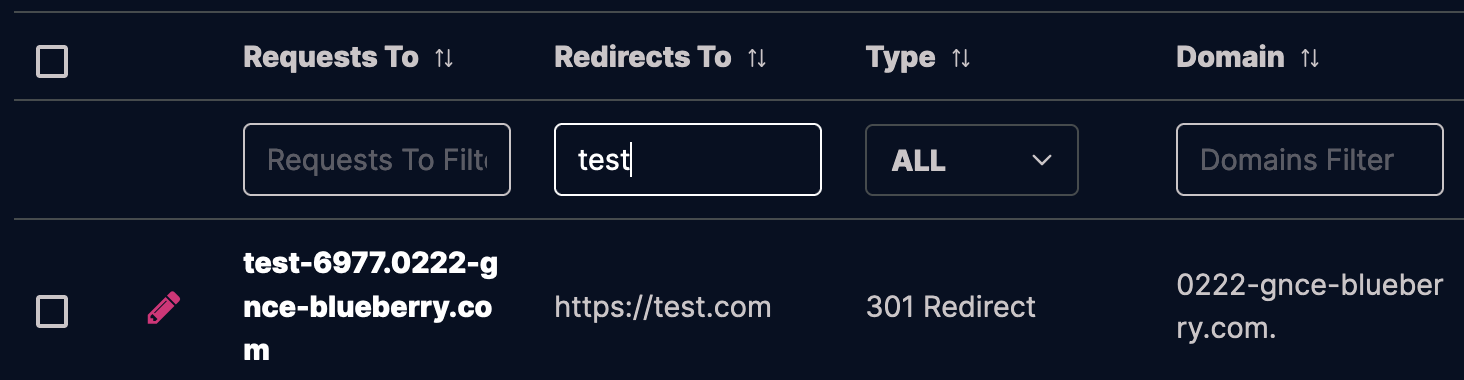
It’s straightforward. To revert, swap the hostnames in the YAML and re-run the script:
0222-gnce-blueberry.com:
  test-6978:
    redirect_to: "https://test.com"
    forward_type: HTTP_301_REDIRECT
  test-6977:
    rtype: A
    rdata: 18.144.199.170
    ttl: 3088
(venv) sbarbett@atomic_wf_mod % ./src/atomic.py
[{'status': 204}, {'status': 201, 'response': {'guid': '09034E3BFF655AB1', 'requestTo': '<http://test-6978.0222-gnce-blueberry.com',> 'defaultRedirectTo': '<https://test.com/',> 'defaultForwardType': 'HTTP_301_REDIRECT', 'records': []}}]
[{'status': 204}, {'status': 201, 'response': {'message': 'Successful'}}]Potential Improvements
Here are some ideas for expanding the tool’s functionality if needed:
- Atomic changes between A records and CNAMEs (currently it only supports web forward<->resource record, not resource record<->resource record)
- Passing parameters as arguments through the CLI, for ad hoc changes to single records.
- An option to batch the whole change into a single request, rather than enumerating through multiple batch requests.
- General modularization of the script’s functionality.
Thoughts and Contributions
As always, feel free to reach out on here, or send an email to shane dot barbetta at vercara dot com. Contributions via GitHub are also welcome, and please let me know if you find any bugs.